
Google Business Profile Verification: A Delhi Guide
Google Business Profile verification, step by step: which method you get, how to record a video Google accepts, how long it takes and what to do if it fails.

Google Business Profile verification is how you prove to Google that you run the business at the address or in the area on your profile. Google chooses the method for you: phone or text, email, a recorded video, a live video call or a postcard. Many businesses are now offered a short video, recorded on your phone, and Google says those reviews take up to 5 business days.
Until the profile is verified, it won't show reliably in Google Maps or the local results, and you can't manage reviews or see insights. The rules quoted below come from Google's own help pages on verifying your business and video verification.
Get the profile right before you verify
A video can be perfect and still fail if the details don't match. Google compares what you typed on the profile with what it sees on camera and on the map, so check these first.
- Business name: exactly as it appears on your signboard. No added words like "best" or "near me", and no area names unless they are part of the real name.
- Address: the shop number, floor, building and market as a courier would need them, with the pin placed on the right building. In markets like Netaji Subhash Place or Rohini Sector 7, check the pin on satellite view.
- Storefront or service area: if customers don't come to you, hide the address and list the areas you serve. Google says that if you don't serve customers at your location, the address should not be on the profile.
- Category and phone: pick the primary category that describes what you do, and use a number someone answers. Google's phone and text codes don't get through an IVR menu.
- One profile only: search Maps for your business first. If an old listing exists, claim it instead of creating a second one.
Google also notes that online-only businesses, with no in-person service at all, aren't eligible for a Business Profile. An online store that only ships orders can't be verified.
Which verification method will you get?
You don't pick it. Google's help page says the methods are "automatically determined by Google and can't be changed", and they depend on your business type, public information, region and hours. The options you may see are:
- Phone call or text message with a code
- An email with a code
- A recorded video, made and uploaded from your phone
- A live video call with a Google support agent, only during your business hours
- A postcard with a code, sent by post
Sometimes Google asks for more than one. If your business website is already verified in Google Search Console, the profile may be verified instantly. When video is offered, Google recommends it.
How to record a verification video that passes
The video has to be recorded live on your phone, from inside your Business Profile. You can't record it earlier and upload it. Google's rules are that it must be at least 30 seconds long, unedited and one continuous take with no breaks. Plan the route before you press record, so you can walk through it without stopping.
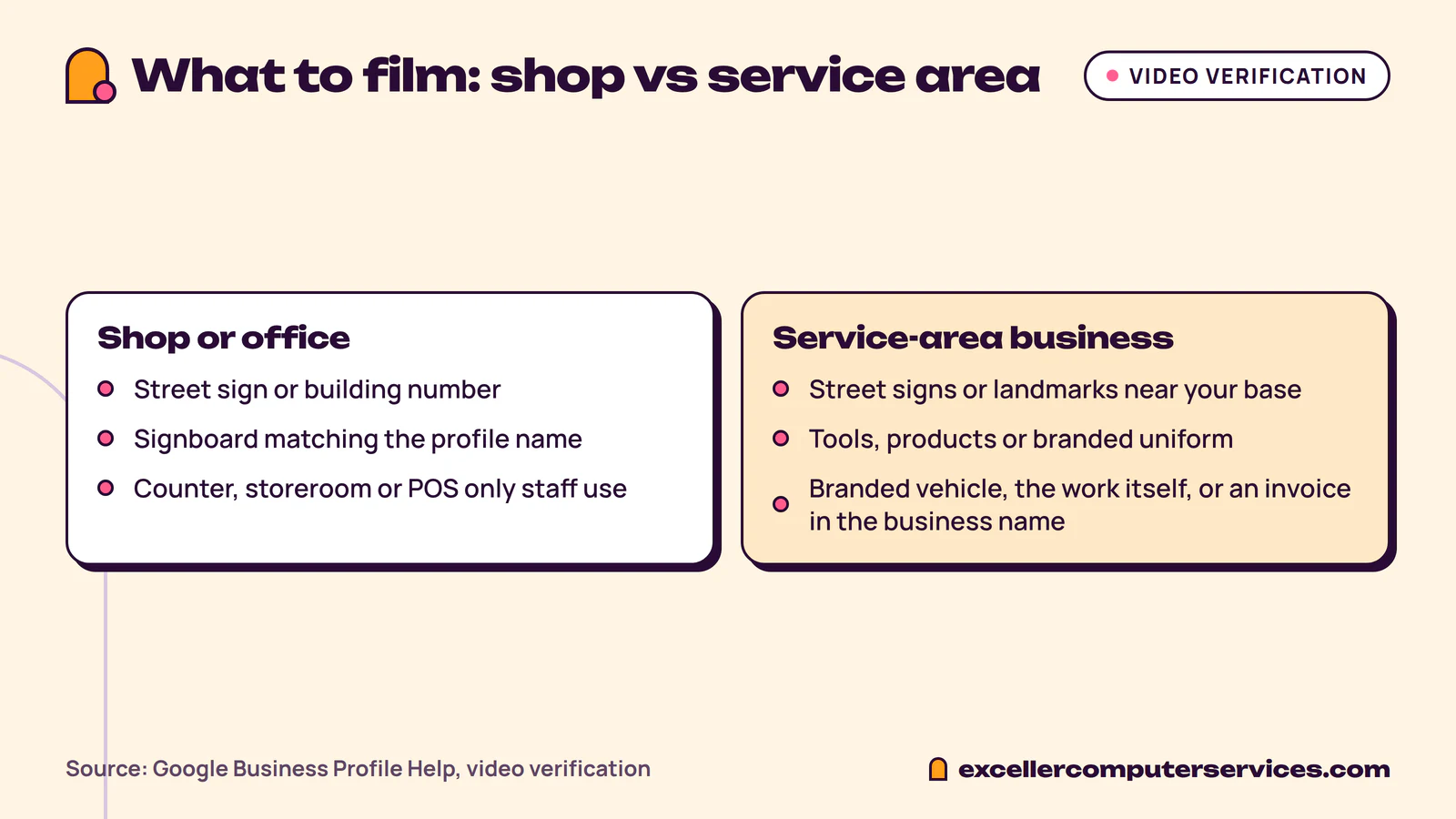
For a shop or office, the video has three jobs, in this order:
- Show where you are. Start outside: a street sign, the building or shop number, or the businesses next door, so Google can match the spot to Maps. In a Pitampura market, that might be the market's name board and then the row of shops leading to yours.
- Show that the business exists. Walk up to the shop and film the signboard with the business name on a permanent fixture. It must match the name on the profile.
- Show that you manage it. Do something only staff can do: unlock the shutter or door, go behind the counter, open the storeroom, or show the billing machine or POS terminal.
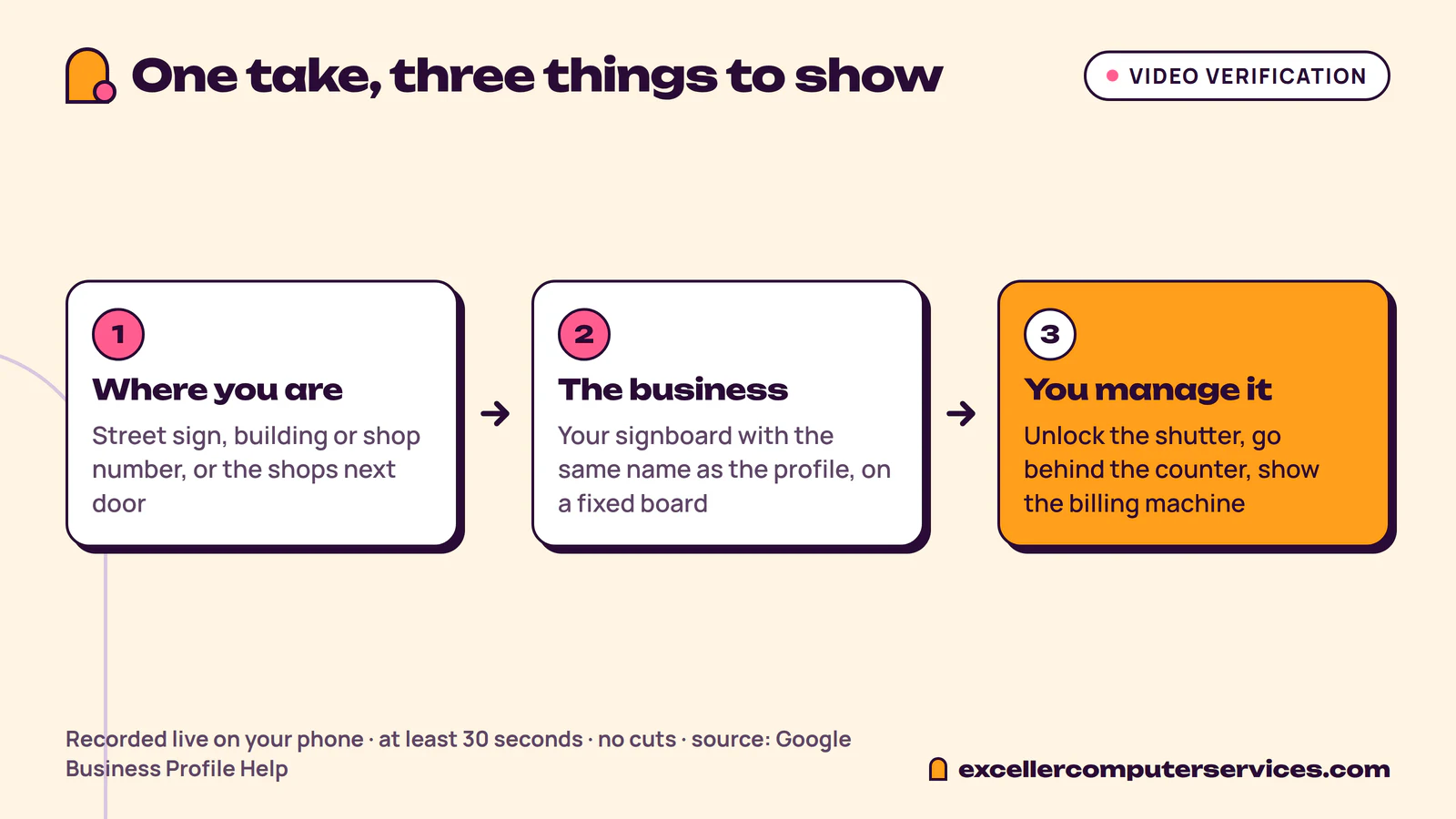
Google's minimum is 30 seconds, so give yourself a little more than that. Keep the camera steady and walk slowly when you pan across signs. Don't film bank details, GST or PAN numbers, or other people's faces, because Google asks you to leave out sensitive and private information. If you are recording at a busy hour, point the camera at the board and the counter rather than at customers.
When we set up a profile for a client, we plan the video with them before anyone presses record: where to start outside, which board to film and what to open on camera to show they run the place. The video has to be one take, so that plan does most of the work.
If you don't have a shop: service-area businesses
Plumbers, AC repair services, tutors, caterers and other businesses that go to the customer verify differently. Google asks for a recognisable spot where the business is based, such as street signs or landmarks near your address, not an empty plot. Then show the tools, equipment, products or branded uniform you work with. For proof of management, Google accepts things like unlocking a branded vehicle, doing the work, or showing a business licence, invoice or utility bill in the business's name.
How long does verification take?
Phone, text and email codes come through while you wait. For a video, Google says the review "can take up to 5 business days". Postcards take longest: Google says most codes arrive within 14 days and expire after 30 days. Don't request a new postcard while you wait, because a new request cancels the code already in the post.
While the review is pending, leave the business name, address and category alone. Google warns that editing them during postcard verification makes the code stop working, and changes can trigger a fresh review.
What to do if verification fails
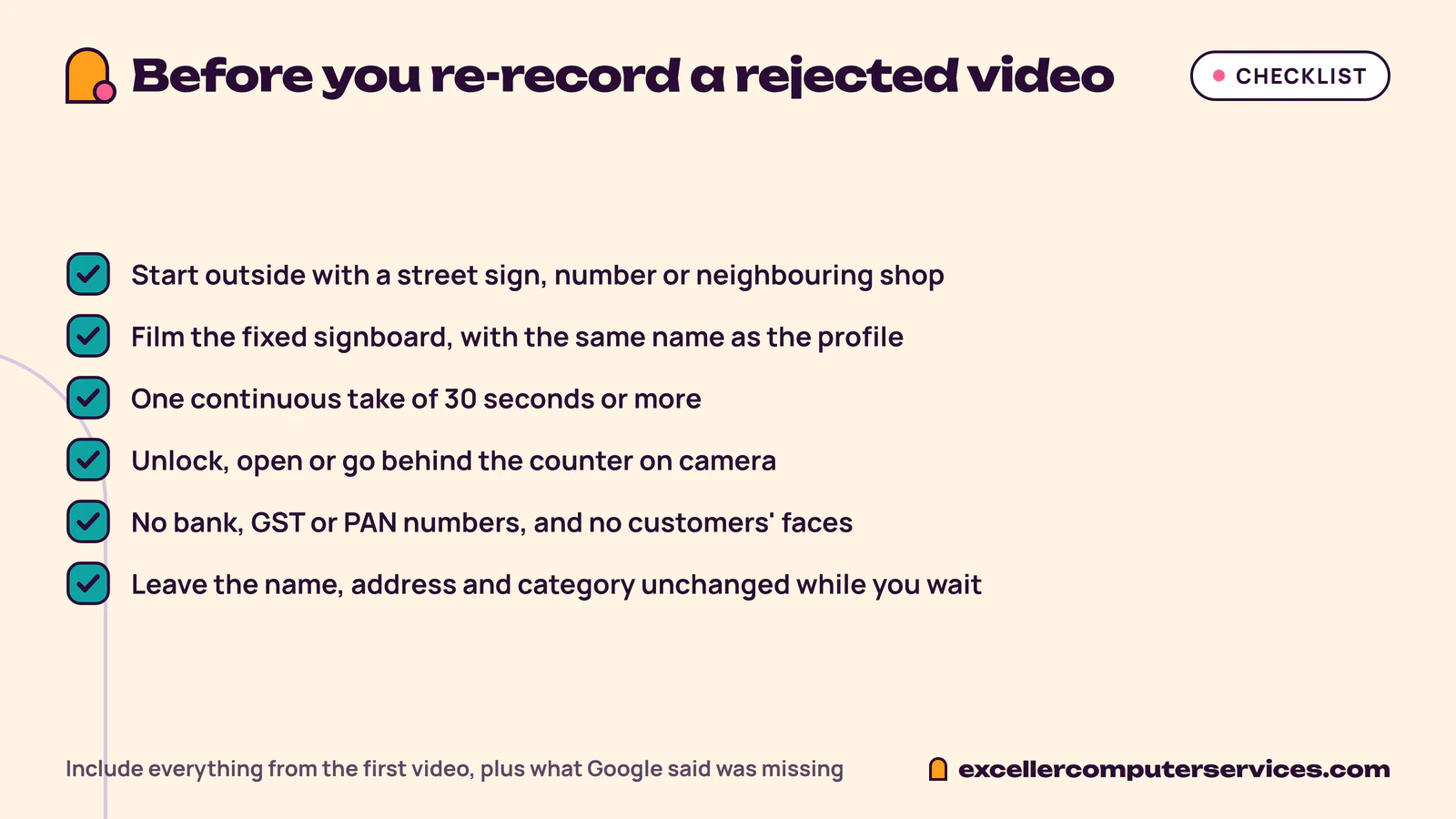
If the video is rejected, the profile shows Review issues. Open it and read what Google says was missing. Then record a new video that includes everything from the first one, plus the missing item. Measured against Google's list, these are the easy ones to miss:
- No street sign, building number or neighbouring shop at the start, so Google can't place the video on the map
- The name is on a temporary banner rather than a fixed signboard, or doesn't match the profile
- The video stops and restarts, or is filmed from inside only
- No proof of management: the shutter is already open and nobody goes behind the counter
If an upload fails, upload it again. If it still fails, or "Get verified" comes back on the profile, Google suggests trying another method from the list, if one is offered, and then contacting Business Profile support. For profiles that were verified and later suspended, the fix is different: you file a reinstatement request with documents.
After verification
Once verified, finish the profile: hours, services, photos of the shop and the team, and a few lines about what you do. Changes to key details can send the profile back for review, so change the name or address only when the business itself changes. A verified profile is also the base for local SEO, because Google ranks Maps results partly on how complete and consistent your information is across the web.
If you'd rather not deal with verification yourself, our Google Business Profile management service covers setup, verification and the monthly upkeep. To rank for searches beyond the map, see our SEO services, and if your profile needs a proper website to link to, start with website design.
Quick answers
How long does Google Business Profile verification take?
Phone, text and email codes come through while you wait. Video reviews take up to 5 business days, according to Google. Postcards usually arrive within 14 days, and their codes expire after 30 days.
Can I verify my Google Business Profile without a video?
Only if Google offers you another method. Google decides which methods each business gets based on its type, location and public information, and you can't change them. If phone, email or a postcard is listed, you can use that instead.
Can I verify a business I run from home?
Yes, as a service-area business, if you visit or deliver to customers. Hide your home address on the profile, list the areas you serve and show your tools, products or work in the verification video. Businesses that only sell online, with no in-person service, aren't eligible.
Why didn't my verification code arrive?
Phone codes don't get through IVR menus, so use a number a person or a mobile answers. For postcards, wait the full 14 days before asking for another, because a new request cancels the old code.
Want help with this?
Tell us about your business and we will send a free quote.